2-month free trial, up to 4 cameras. No obligation.
US$1,500 onboarding waived through Nov 30
NeuraVue is a commercialized, privacy-first AI solution that works with the systems you already have. It alerts your care team’s phones through the NeuraVue mobile app when it sees a responsive-behaviour escalation, an unsafe interaction, a fall, or a resident leaving a safe zone. Your team reviews every alert and decides what happens next.
Unsafe Interaction Alerts
Fall Detection
Wandering / Zone Alerts
Works with your existing video systems
Privacy-first · processing on premises
Patent pending (US and Canada)
What happens after you book
1
We reply to schedule
We write back and set a time with your team.
2
The free 2-month trial, up to 4 cameras, runs on site
It uses the video systems you already have. Processing stays on the home’s own computer, with an added GPU. NeuraVue helps set it up.
3
Your team decides
Staff review every alert and choose what happens next.
Illustrative scenario
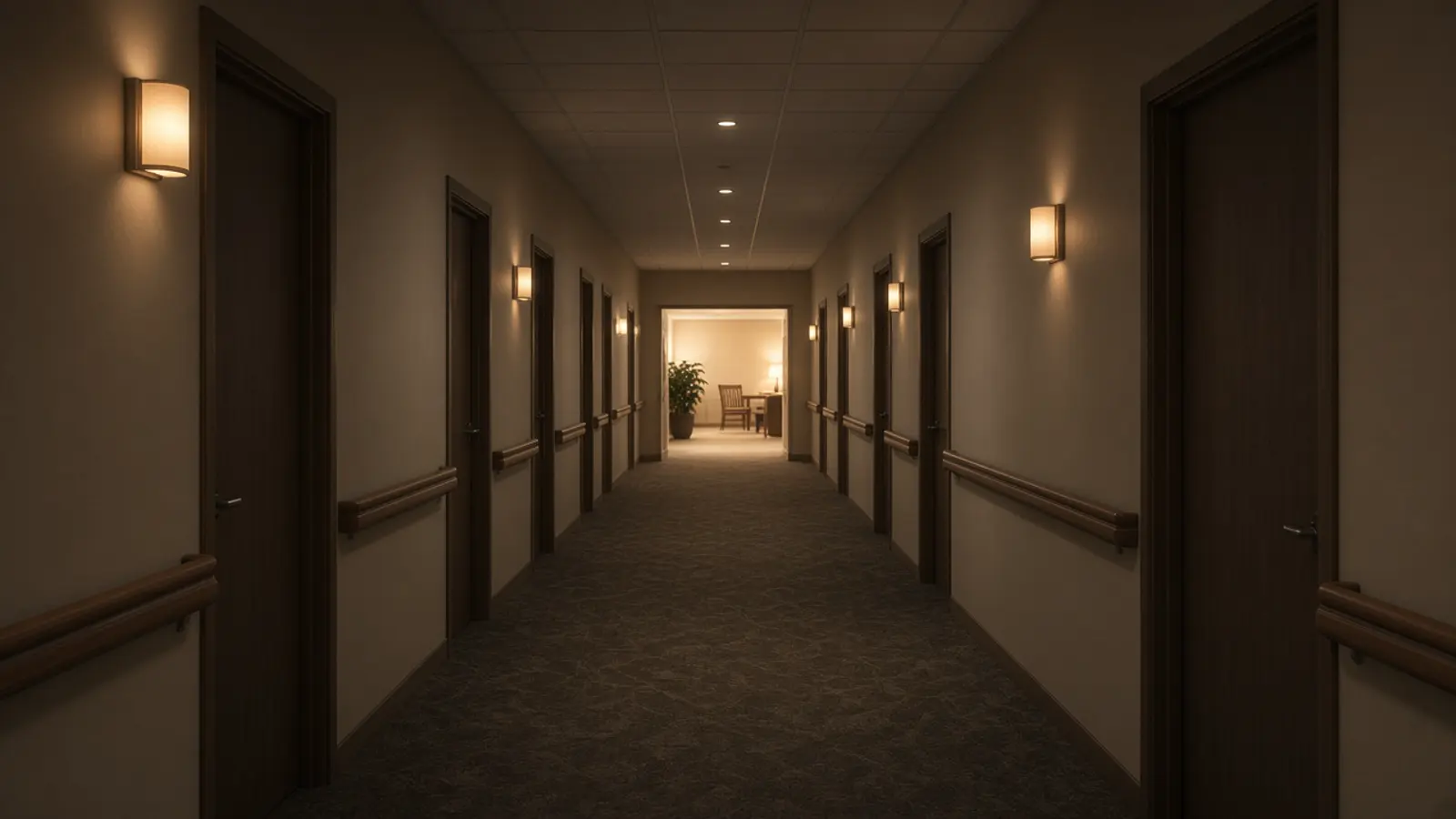
3:10 a.m. Two staff. One long hallway.
Maria is the nurse on nights. Her colleague is helping a resident in a room at the far end of the unit. In the lounge, two residents who don’t usually sit together are getting louder.
The lounge video has been recording all night. Nobody is watching it, because nobody can watch every screen.
With NeuraVue, Maria’s phone shows an alert: potential escalation, lounge. She walks over, calms things down and documents what she saw.
The alert didn’t decide anything. Maria did. She just knew sooner.
Illustrative
A night shift without vs with NeuraVue
A qualitative illustration. Not a statistic, a timing claim, or a measured outcome.
Without NeuraVue
A small night team covers a long hallway. The lounge keeps a video record, and nobody is assigned to review all of it.
Residents who do not usually sit together start talking louder. That can stay unnoticed until the next round.
When someone notices, the team still assesses, documents, and decides what to report.
With NeuraVue
A designated phone can receive an alert when NeuraVue sees a responsive-behaviour escalation, an unsafe interaction (possible abuse), a fall, or a resident leaving a safe zone.
Staff review every alert and decide whether to walk over, document, or follow the home’s own policy.
The alert does not decide anything. Your team does.
Detection, never prevention. Staff review every alert and decide.
The rooms your team already works in
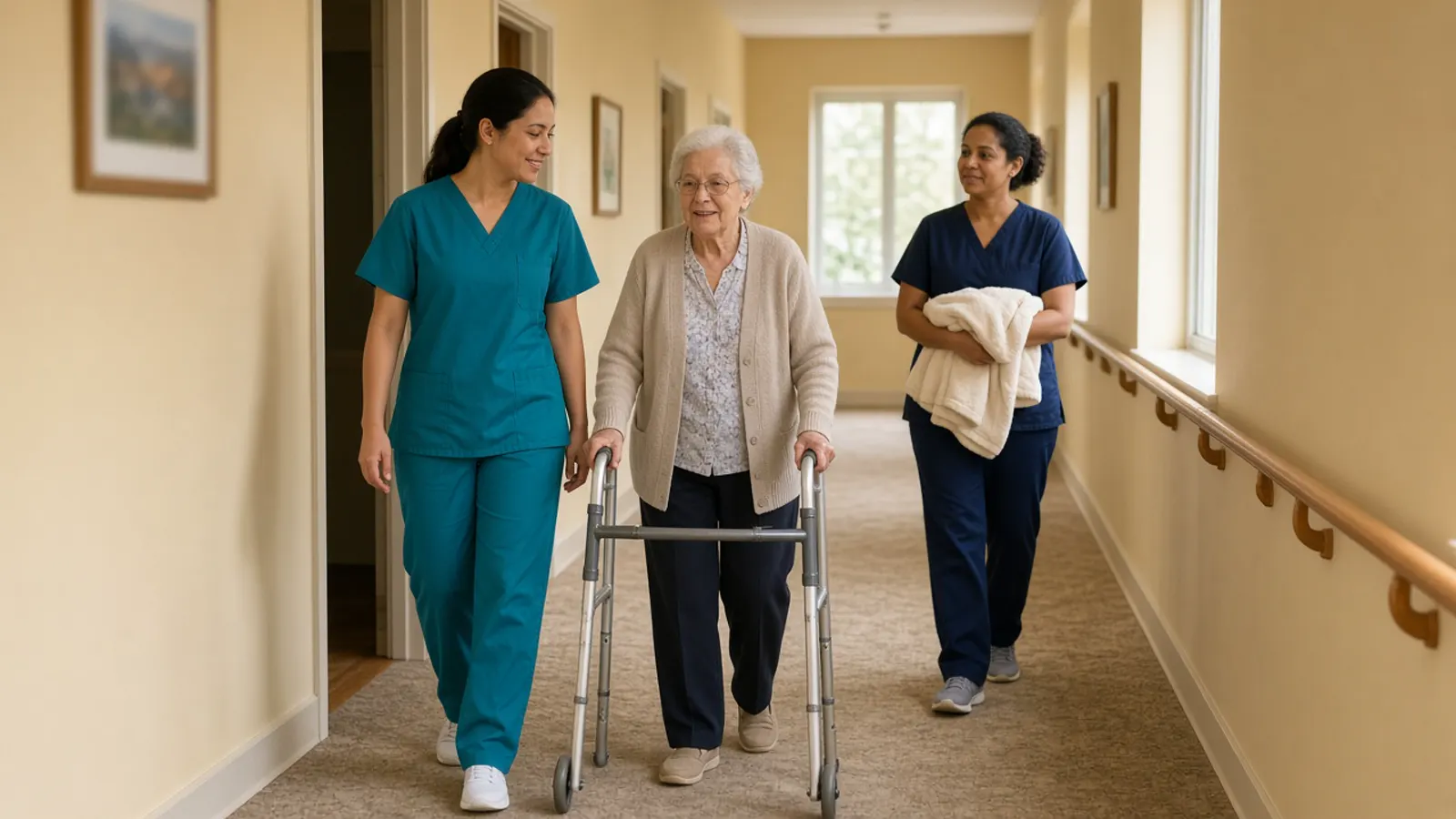
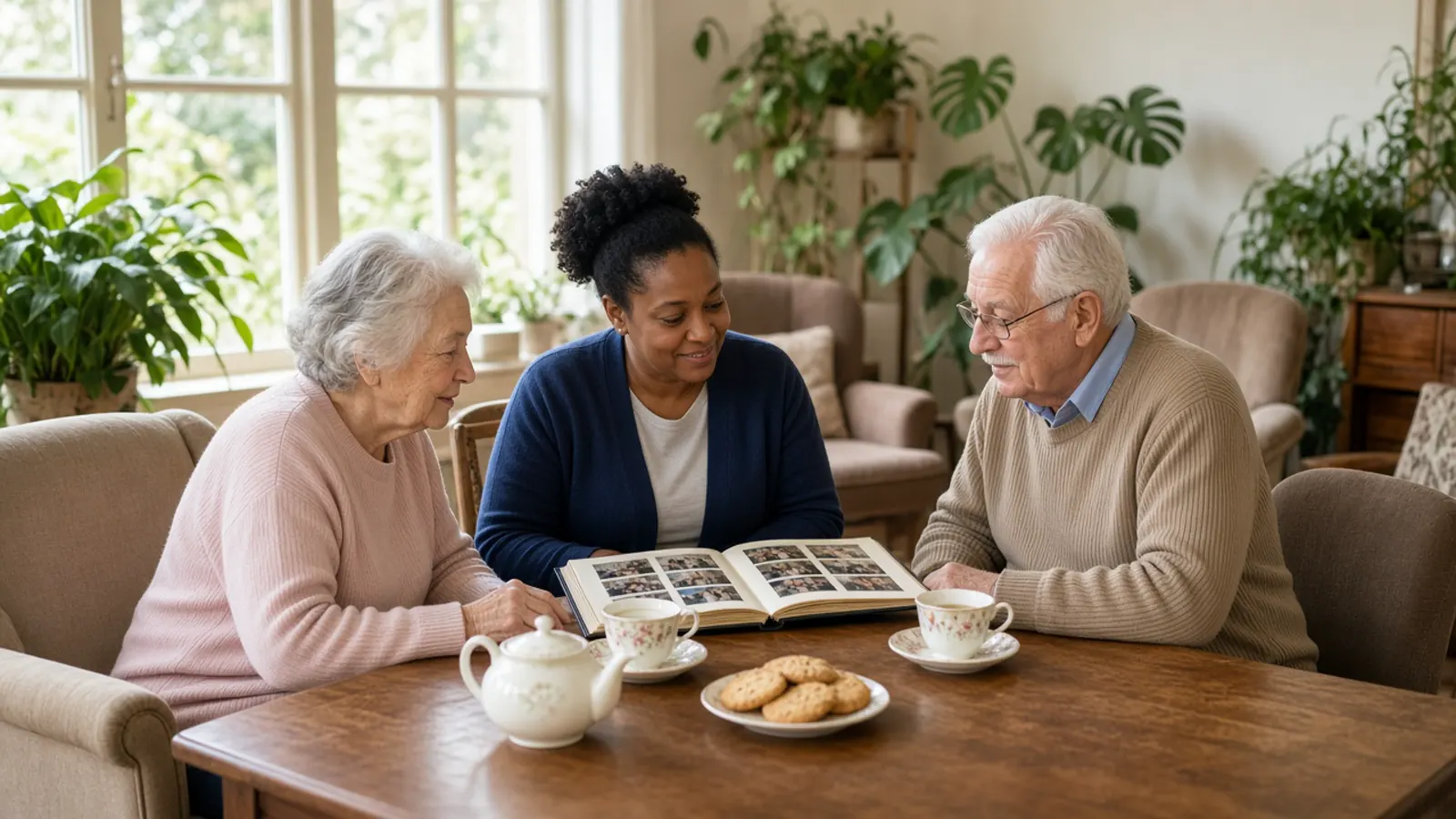
Long-term care hallwayLounge and common roomFamily visits
Your video records it. Nobody can watch it all.
Most care settings already have video in hallways, lounges and near exits. It records everything and alerts no one. When something happens, it’s often found on the next round, and your team still has to assess, document and report it.
2 in 3
2 in 3 staff in institutions report having committed abuse in the past year.
Detection isn’t prevention. NeuraVue helps your team know sooner, so the people you trust can act.
How it works
1
Detect
NeuraVue analyzes the live video from the systems you already operate.
2
Process
Video is processed on site, on the home’s own computer with an added NVIDIA GeForce RTX GPU, for the free demo and for a paid deployment. NeuraVue helps set it up. Staff don’t need to watch feeds continuously.
3
Alert
Designated staff get an alert on their phones through the NeuraVue mobile app.
4
Your team decides
A caregiver reviews the alert and responds. Every decision stays with your team.
How it works for your nurses
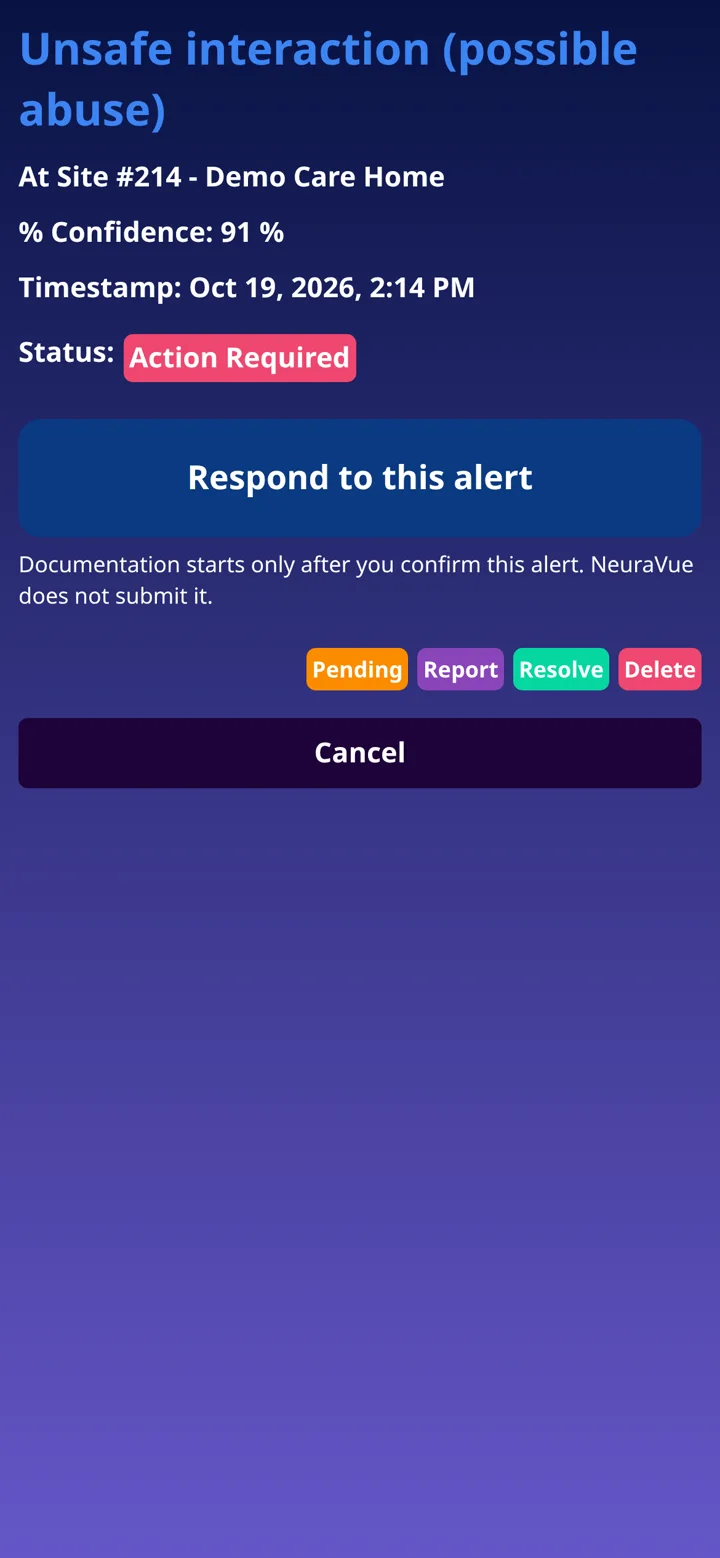
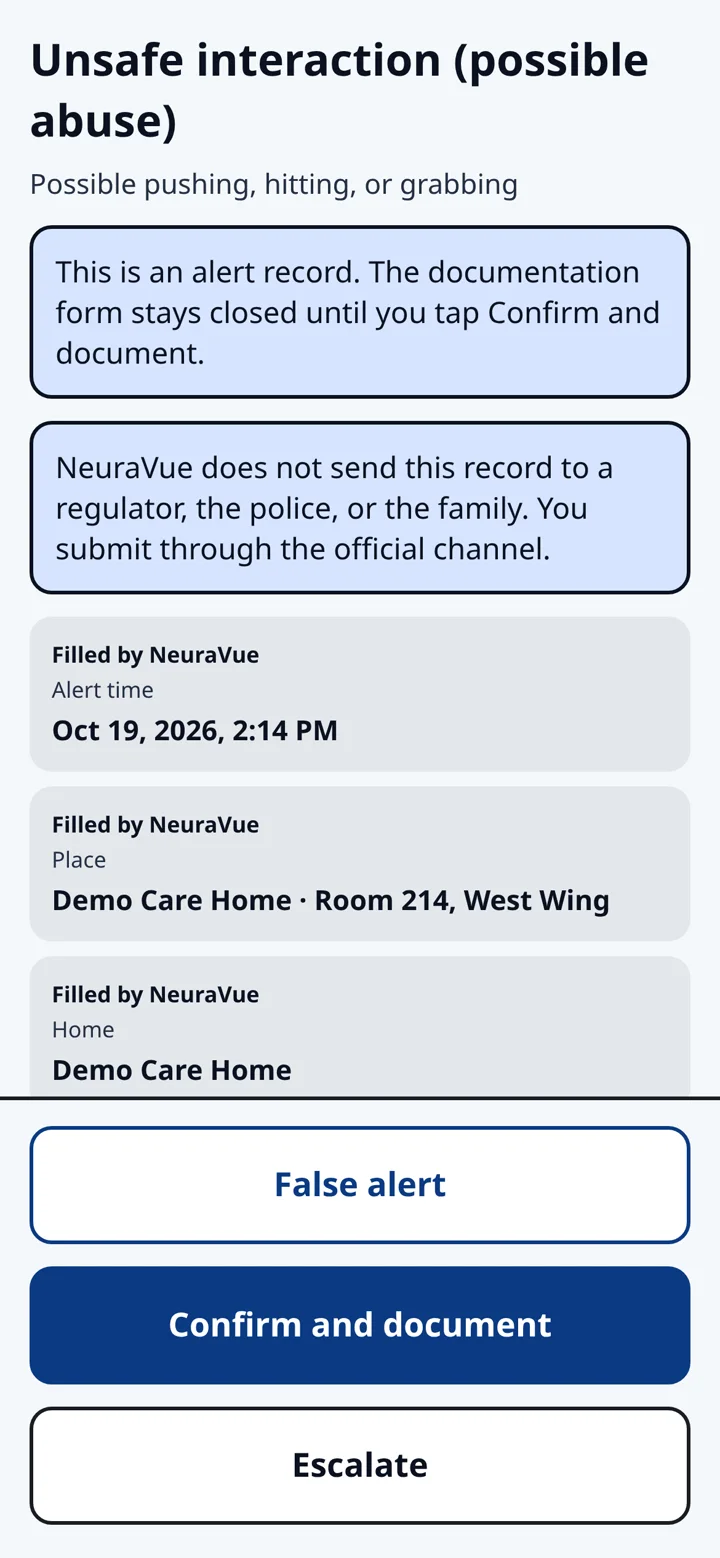
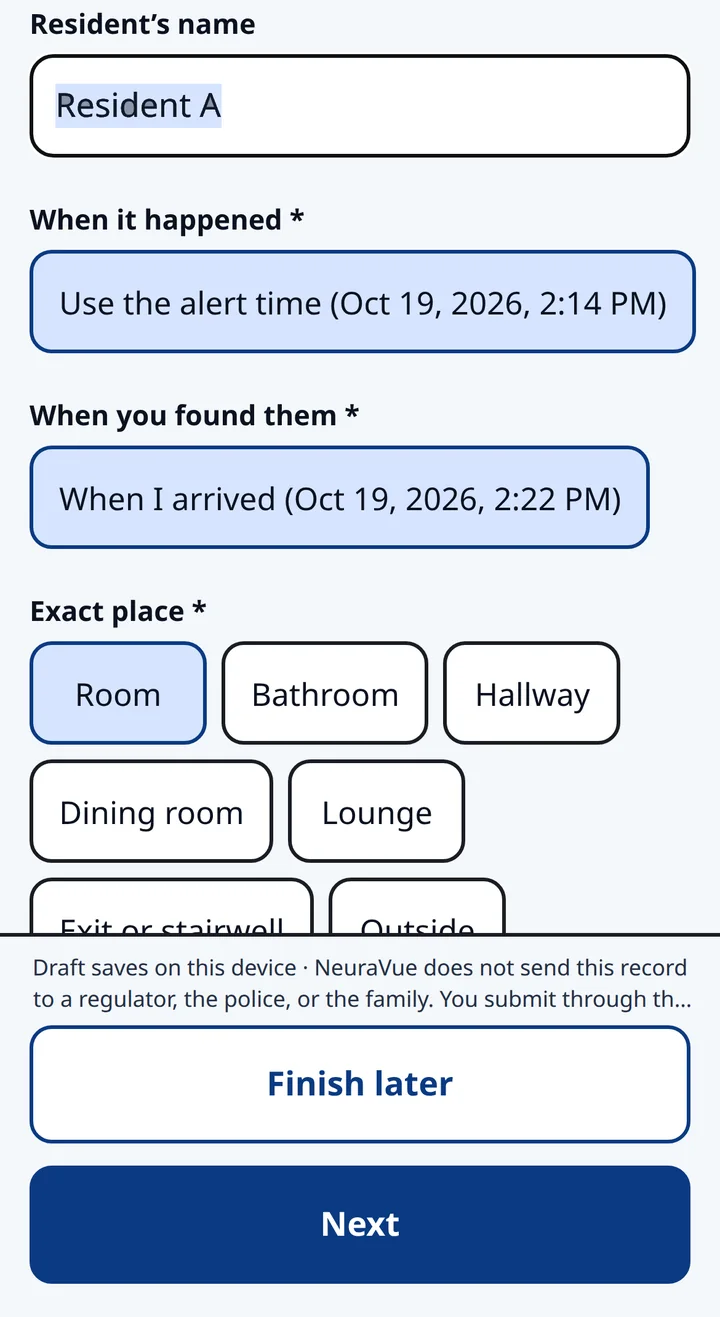
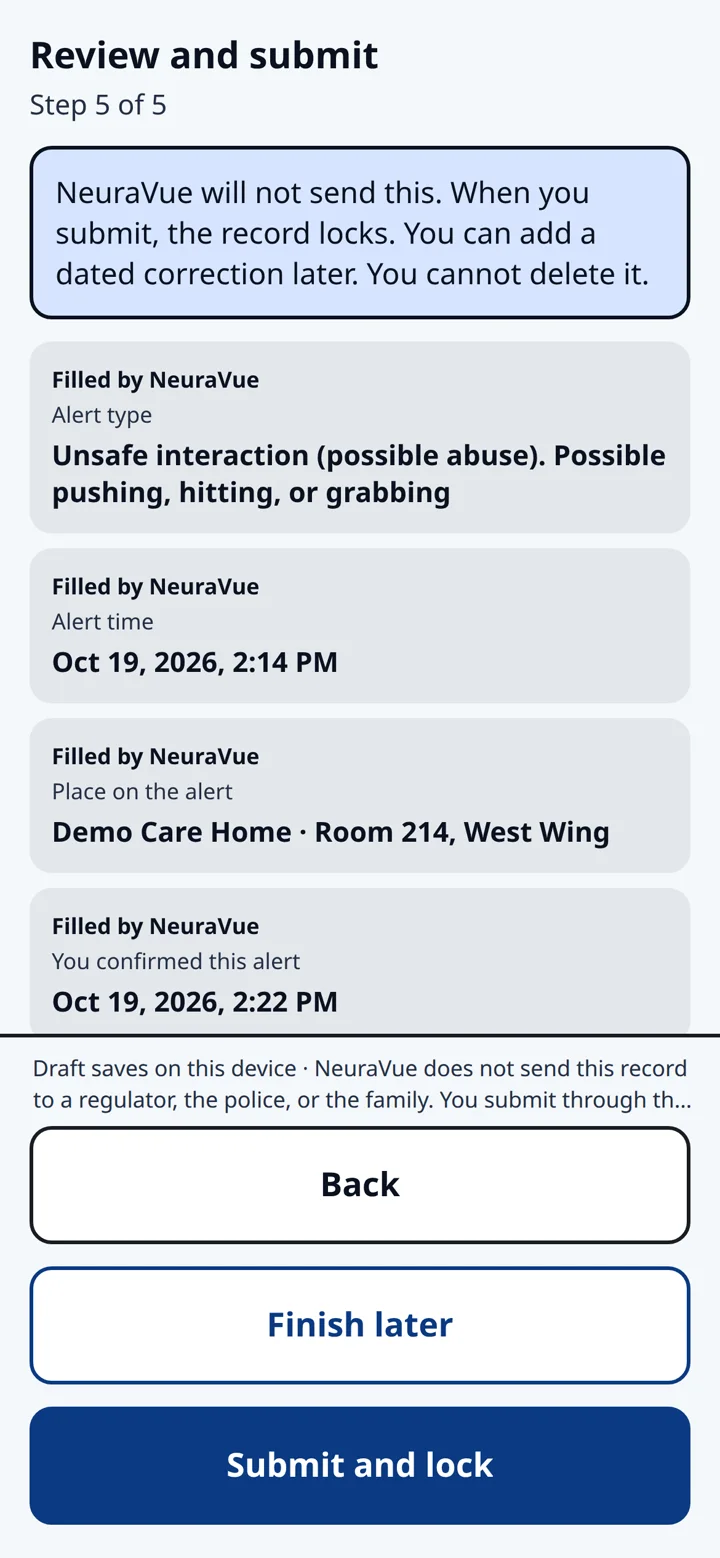
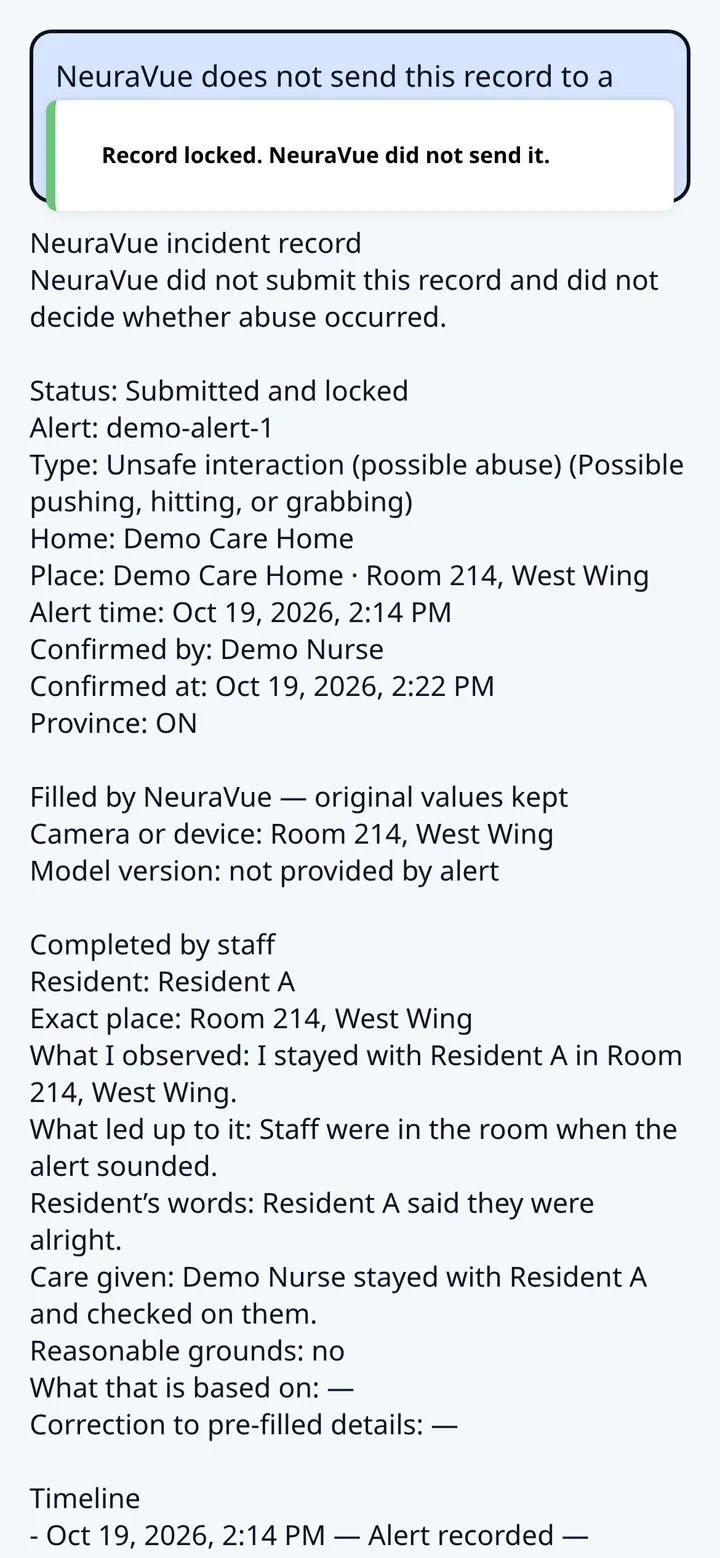
Incident documentation is available now. After a nurse confirms the alert, NeuraVue pre-fills a time-stamped incident record. The nurse reviews, edits and submits it herself. The record locks, and a later correction is dated. NeuraVue supports the nurse on the floor. It does not replace her, and it does not file the record for her.
1
Alert
The nurse’s phone shows an unsafe interaction (possible abuse), with the place and the time. On this demo screen the alert is marked within about 15 seconds (tested). Nothing is documented until the nurse confirms the alert.
2
Confirm
The nurse confirms the alert, marks it as a false alert, or escalates. NeuraVue does not submit the record.
3
Pre-filled record
After the nurse confirms, NeuraVue pre-fills a time-stamped incident record. The nurse reviews and edits every field, including the resident’s name and where it happened.
4
Review and submit
The nurse reviews the record, corrects anything that is wrong, and submits it. NeuraVue does not send it to a regulator, the police, or the family.
5
Submitted and locked
The record locks when the nurse submits it. A later correction is dated. The nurse submits through the official channel. NeuraVue does not file it for her.
2-month free trial, up to 4 cameras. No obligation.
US$1,500 onboarding waived through Nov 30
See an alert, then the record
Dramatization · staged footage
Staged footage. No real residents. The app screens use demo data. NeuraVue does not file the record for the nurse.
What NeuraVue detects
Responsive Behaviour Detection
Responsive behaviours rarely come out of nowhere. NeuraVue alerts your team when it sees a pattern associated with escalation in your common areas, so staff can step in and see what’s happening, not just the aftermath.
Unsafe Interaction Alerts
A supporting feature that flags physical interactions that may indicate possible abuse, such as hitting, kicking, grabbing, pushing, throwing objects or biting. It’s designed to tell these apart from normal care like lifting, bathing and feeding.
Fall Detection
Alerts staff to a potential fall in a monitored area, so someone can check right away instead of on the next round.
Wandering / Zone Alerts
Alerts staff when a resident moves toward an exit or into an area you’ve marked as restricted. Your team sets the zones.
An alert is a prompt to look. It isn’t a finding of abuse and doesn’t replace an investigation, your reporting policy or clinical judgment. NeuraVue doesn’t restrain anyone or make care decisions, and wandering / zone alerts don’t physically stop anyone.
Privacy-first by design
Built for the questions your privacy officer, union and family council will ask.
Privacy-first · processing on premises. Video is processed at your facility, as described in our documentation. We’ll walk your privacy officer through how demo video is handled before it starts.
Common-area emphasis.
No resident identification by default. Optional facial recognition for high elopement risk is available only if your facility enables it, with consent and an opt-out.
Role-based access, so people see only what their role needs.
Staff don’t need to watch feeds continuously.
Not a staff performance tool. We’ll help you brief your union and staff, and support the electronic-monitoring policy your organization needs.
US$15 / per camera, per enabled feature, per month
Turn on only the features you need, where you need them. For example, one feature on 10 cameras is US$150 a month.
Onboarding: US$1,500US$0 per facility. The US$1,500 onboarding fee is waived for facilities that sign by 11:59 p.m. ET on November 30, 2026. After that, it applies.
Onboarding: US$1,500 per facility, one time.
The free demo and a paid deployment both run on site. Video is processed on the home’s own computer, with an added NVIDIA GeForce RTX GPU. NeuraVue helps set it up. For a paid deployment, we scope the GPU with your IT team and show that cost in your quote before you commit.
2-month free trial, up to 4 cameras. No obligation.
US$1,500 onboarding waived through Nov 30
Questions directors of care and administrators ask
How is resident privacy handled?
Video stays on site at your facility, on the home’s own computer with an added GPU, during the free demo and in a paid deployment. NeuraVue is privacy-first: common-area emphasis, no resident identification by default and role-based access.
Will this add work for our nurses?
Alarm fatigue is a real concern. That’s why you start on a few video feeds, tune alerts to your workflow and track false alerts per shift during the demo.
How much setup does it take?
A connection to the video systems you already have, and the home’s own computer with an added GPU. NeuraVue helps set it up with your IT team.
What does it cost?
US$15 per camera per enabled feature per month, plus a one-time US$1,500 onboarding fee per facility , waived for facilities that sign by 11:59 p.m. ET on November 30, 2026 . For a paid deployment, the added NVIDIA GeForce RTX GPU is scoped with your IT team and shown in your quote before you commit.
What do we need for a paid deployment?
The home’s own computer, with an added NVIDIA GeForce RTX GPU, so video stays on site. NeuraVue helps set it up. We scope the GPU with your IT team and show that cost in your quote before you commit.
How do staff get alerts?
Through the NeuraVue mobile app on designated staff phones.
Can the nurse document the incident in the app?
Incident documentation is available now. After a nurse confirms an alert, NeuraVue pre-fills a time-stamped incident record. The nurse reviews, edits and submits it herself. The record locks, and a later correction is dated. NeuraVue does not file the record for her.
How quickly do alerts arrive?
We don’t publish response-time figures. During your free demo, we measure alert timing with you on your own floor.
Will our union see this as staff surveillance?
NeuraVue alerts on resident safety events. It isn’t a performance-monitoring tool. We’ll help you brief your union and staff before anything goes live.
Who runs NeuraVue?
NeuraVue Ltd. in Canada and NeuraVue Inc. in the United States, two separate sister companies. Your contract names the right one for your location.
See it on your own floor.
In 30 minutes, we'll look at your floor plan, show you a live alert on your phone using staged footage, and help you choose where a 2-month free trial on up to 4 cameras would matter most. The demo runs on site. NeuraVue helps set it up on the home’s own computer, with an added GPU.
2-month free trial, up to 4 cameras. No obligation.